
Miami Herald Latest Local News
McClatchyNews & Magazines
3.9284.00 Reviews
- Version
- 11.1.16
- Installs
- 50.00K
- Age Rating
- Everyone 10+
Screenshots
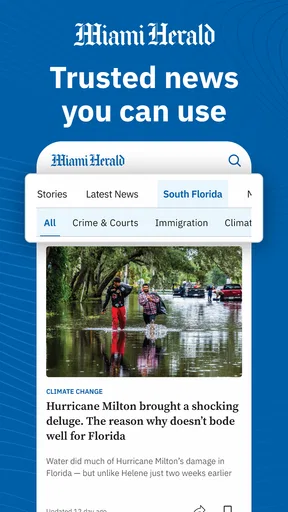
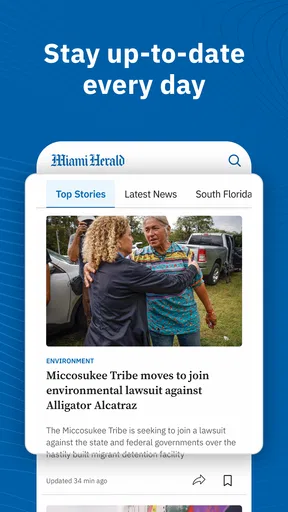
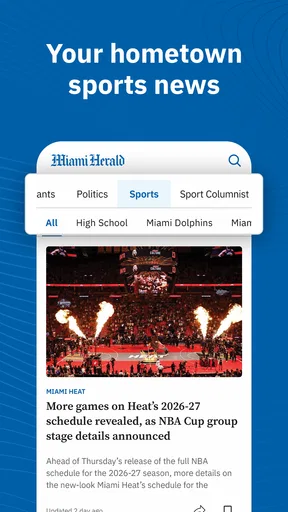
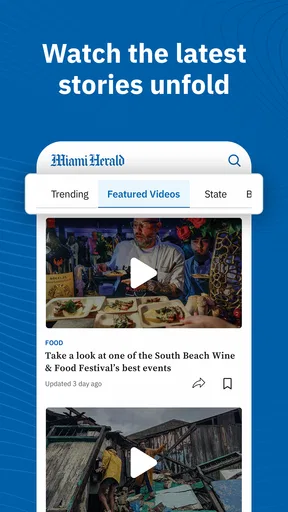

Our Review of Miami Herald Latest Local News
 Analysis by Appyee
Hey there, fellow app explorer! Today, let's dive into the world of news with the Miami Herald app. If you’re like me and crave staying updated with the latest happenings, this app might just be your new best friend. Let's see what it has to offer!
What to expect from this Miami news app
Before you install it, it helps to know what kind of reader this app is meant to serve. It is a news app from McClatchy, built around the Miami Herald’s reporting and local perspective. I’d consider it most useful if Miami news is part of your daily routine, whether you live in the area, have family there, follow its civic life, or simply want a regional source alongside broader headlines. If you mainly want a single feed that combines many publishers, a general news aggregator may be a better fit.
The app is free to download, but that should not be confused with every part of the reading experience being free. It offers in-app purchases, with prices ranging from $1.99 to $159.99 per item, so I would check what an offer covers before confirming anything. If you are deciding whether to pay, first try the free experience and notice which stories you can open. That small check helps set expectations before you make the app part of your routine.
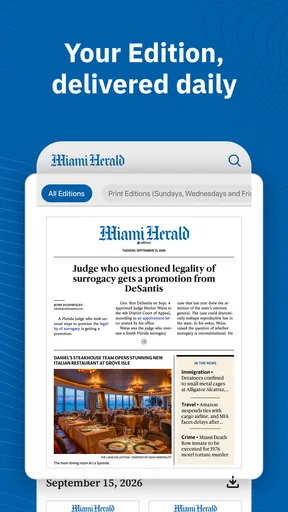
The publication’s work includes reporting, photographs, video, features, and blog content. That mix can be useful when a story is easier to understand through images or when you want a different format from a standard article. It does not mean every reader needs to explore every format: I’d start with the local reporting that answers a question you already have, then use the other material when it adds context rather than simply filling time.
Getting started and finding a useful first read
I’d use the first session to answer one specific question about Miami rather than browse every section at once. Starting with a local story makes it easier to judge whether the reporting and presentation are useful to you, while keeping any purchase prompt or notification choice from getting in the way of that first read.
First setup: keep it simple
The app was released on May 24, 2012, and its current version is 10.2.66. It supports devices running Android 8.0 or later. The content rating is Everyone 10+, a detail worth checking if you are setting up a shared device for a younger reader. Once installed, I’d take a moment to orient myself before enabling more interruptions: open the app, look through the available sections, and see whether its local emphasis matches what I came for.
I would not begin by trying to personalize everything or turning on every alert. A better first session is to open one local story, read enough to see whether the presentation works for you, and then decide if you want notifications. That order matters: breaking-news alerts can be useful when you follow a developing event, but they can also make a news app feel noisy if you only want a calm morning check-in.
Your first successful action
For a first-time reader, success does not have to mean mastering every menu. Pick a practical question—what is changing in a Miami neighborhood, what is happening in local government, or what is behind a headline you have seen elsewhere—and use the app to find a relevant report. Read the article before jumping between sections. Then, if the story includes photos or video, decide whether those materials add something you did not get from the text. This gives you a quick, realistic test of the app’s value rather than a tour of features with no purpose.
A useful everyday scenario is checking the news over breakfast before a day that involves Miami. I would scan local headlines first, open the one that could affect plans or conversations, and leave broader reading for later. If I am following a developing issue, I might choose notifications for that period; if I am just catching up, I would keep them off and return when convenient. This simple distinction helps the app serve your schedule instead of setting it.
Features That Stand Out
Let’s talk features, because this app is packed with them! First off, the user interface is slick and intuitive. You won't find yourself fumbling around trying to figure out where things are. It’s all neatly organized, making it super easy to navigate.
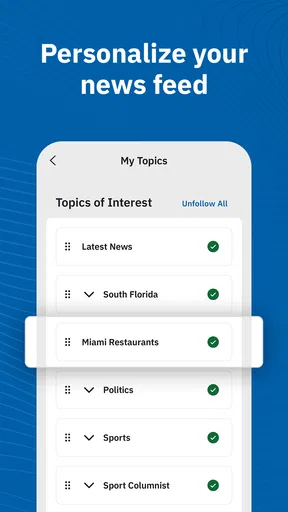
One of my favorite features is the ability to customize your news feed. Whether you’re into sports, politics, or lifestyle stories, you can tailor the feed to suit your interests. Plus, the push notifications ensure you never miss out on breaking news. It’s like having a personal news butler.
And let’s not forget about the multimedia content. From immersive photo galleries to engaging videos, the Miami Herald brings stories to life in a way that’s both informative and entertaining.
Reading Experience
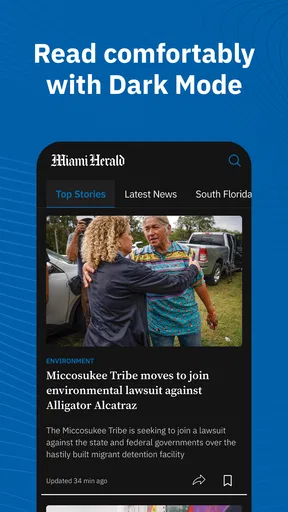
Reading on the Miami Herald app is a breeze. The fonts are crisp and adjustable, catering to those of us who might need a little help in the eyesight department. Plus, the night mode is a lifesaver for late-night browsing. No more blinding lights while you’re catching up on your daily dose of news before bed.
Making the app work for your routine
Once you have found a section that matters to you, I’d use the feed as a starting point rather than a complete picture of the day. For example, a reader who follows local politics can open a relevant report, then use the app’s photos, video, or features when they help explain the issue. Someone checking in on Miami from elsewhere can use the local coverage to stay connected without treating every alert as urgent. The trade-off is that a focused regional publication may feel less convenient than an aggregator if you want many outlets and topics in one place.
There is also a practical way to keep news from taking over your attention. Decide in advance whether you want alerts for immediate updates or prefer to visit the app at set times. If notifications are useful during a major local story, enable them for that stretch and reassess later. If you only want a daily overview, checking manually is often enough. This is less about finding a perfect setting and more about matching the app to how much news you actually want during the day.
Stay Local, Stay Informed
For those living in Miami or just interested in the city’s local vibe, the app provides extensive local coverage. From neighborhood events to city council meetings, staying informed about your community has never been easier. It’s like having the pulse of Miami right at your fingertips.
Common confusion and honest trade-offs
One point I would keep in mind is the difference between a free download and access to all content. In-app purchases are available, so a reader may encounter a paid option while exploring. If an article or offer prompts a purchase, pause to check the terms shown in the app and decide whether that access suits your reading habits. I would not pay simply because I have installed the app; I’d first establish that its reporting is something I return to regularly.
The app has an average rating of 2.0 from around 700 ratings, and there are around 270 written reviews. That is a reason to approach it with realistic expectations, not proof that every person will have the same experience. Reports of occasional glitches are a genuine drawback to bear in mind, especially if you rely on a smooth reading session. I would make sure the app is updated and see how it behaves on my own device before depending on it for time-sensitive reading.
Its audience rating is Everyone 10+, so it is not simply labeled for every age without qualification. For a family device, I would consider that rating along with the specific stories being read and the child’s age. And if uninterrupted access to a wide range of publications is your priority, compare the experience with a general news reader or other publishers before committing to a paid option.
Is It Worth Your Time?
Now, let’s get real. Is the Miami Herald app worth your time? In my opinion, absolutely. It’s a solid tool for anyone who values staying informed in a fast-paced world. The combination of local, national, and international news makes it a comprehensive source for all your informational needs.
However, like any app, it’s not without its quirks. Some users have reported occasional glitches, but hey, what app doesn’t have a hiccup now and then, right? The team behind the app seems pretty proactive about updates, so those issues are usually short-lived.
Who should choose it—and who should look elsewhere
I’d recommend giving it a try if Miami is central to your interests and you want a publication-led way to follow local stories, with multimedia available when it contributes to the reporting. It can also suit someone who already reads the Miami Herald and wants a phone-based way to keep up. The app has more than 50,000 installs, but reach alone does not tell you whether its style or access options will suit your needs; your first few reading sessions are the better test.
I would look elsewhere if your main goal is a customizable stream from many publishers, if you rarely read Miami-focused coverage, or if you dislike the possibility of encountering paid content in a free app. A national or international news reader may be more efficient for broad coverage, while a publication’s website or another source may suit you better if you prefer reading outside an app. The right choice depends on whether local reporting is valuable enough to make a dedicated publication feel worthwhile.
Final Thoughts
To wrap it all up, the Miami Herald app is a must-have for news enthusiasts. Its robust features, user-friendly interface, and extensive coverage make it a standout choice. So why not give it a spin? You might just find it becomes your go-to source for all things news. Happy reading!
Verdict
Strengths of Miami Herald Latest Local News
- User-friendly interface enhances reading experience.
- Timely updates keep you informed on current events.
- Customizable notifications for personalized news alerts.
- Offline reading mode available for convenience.
- Diverse sections cover a wide range of interests.
Limitations of Miami Herald Latest Local News
- Subscription required for full access to content.
- Occasional ads can interrupt the reading flow.
- Some articles may have a regional focus.
- App can be slow on older devices.
- Limited interactive features compared to other news apps.
Other Releases by McClatchy
View All
Fort Worth Star-Telegram News
News & Magazines3.0

The Charlotte Observer | News
News & Magazines2.7

Sacramento Bee News California
News & Magazines3.1

Kansas City Star | Local News
News & Magazines2.8
Similar Picks in This Category
View All
Google News - Daily Headlines
Google LLC4.0

X
X Corp.4.8

Flipboard:Your Social Magazine
Flipboard3.4

Opera News: breaking & local
Opera4.5

Hindi News by Dainik Bhaskar
Dainik Bhaskar Group4.0

Way2News Daily News App
Way2News ( Formerly Way2SMS )4.6
Frequently Asked Questions
What features does the Miami Herald app offer?
The Miami Herald app provides users with up-to-date news coverage, personalized alerts, and access to multimedia content such as videos and photo galleries. Users can customize their news feed based on interests and receive push notifications for breaking news. The app also includes offline reading options and interactive features for an engaging experience.
Is the Miami Herald app free to use?
The app is free to download and offers some free content. However, to access premium articles and exclusive content, users may need to subscribe. Subscription options vary and often include monthly or annual plans, providing full access to the Miami Herald’s in-depth reporting and special features.
Can I personalize my news feed in the Miami Herald app?
Yes, the app allows users to personalize their news feed by selecting topics of interest. This feature ensures that users receive the most relevant news and updates based on their preferences, making it easier to stay informed about specific areas, whether it’s local news, politics, sports, or entertainment.
Does the Miami Herald app support offline reading?
Yes, the app supports offline reading, allowing users to download articles and read them later without an internet connection. This feature is particularly useful for users who are on the go and may not always have access to Wi-Fi or mobile data, ensuring uninterrupted access to news.
How do I manage notifications in the Miami Herald app?
Users can manage notifications by going into the app’s settings. Here, they can customize which types of alerts they receive, such as breaking news, specific topic updates, or none at all. This flexibility helps users control their notification preferences to avoid unnecessary interruptions while staying informed.
